Projects slip when cost and time live apart. Bids freeze on Friday; by Monday the schedule clashes. Spreadsheets fork, margins thin.
New platforms solve this by uniting estimating with CPM planning. We audited 10 contenders, grading integration depth, features, usability, interoperability, and value, then chose the five most reliable for 2026. InEight already proves the concept by sending estimate lines straight into its Schedule engine.
Ready to find your match? Let’s begin.
How we selected and ranked the winners
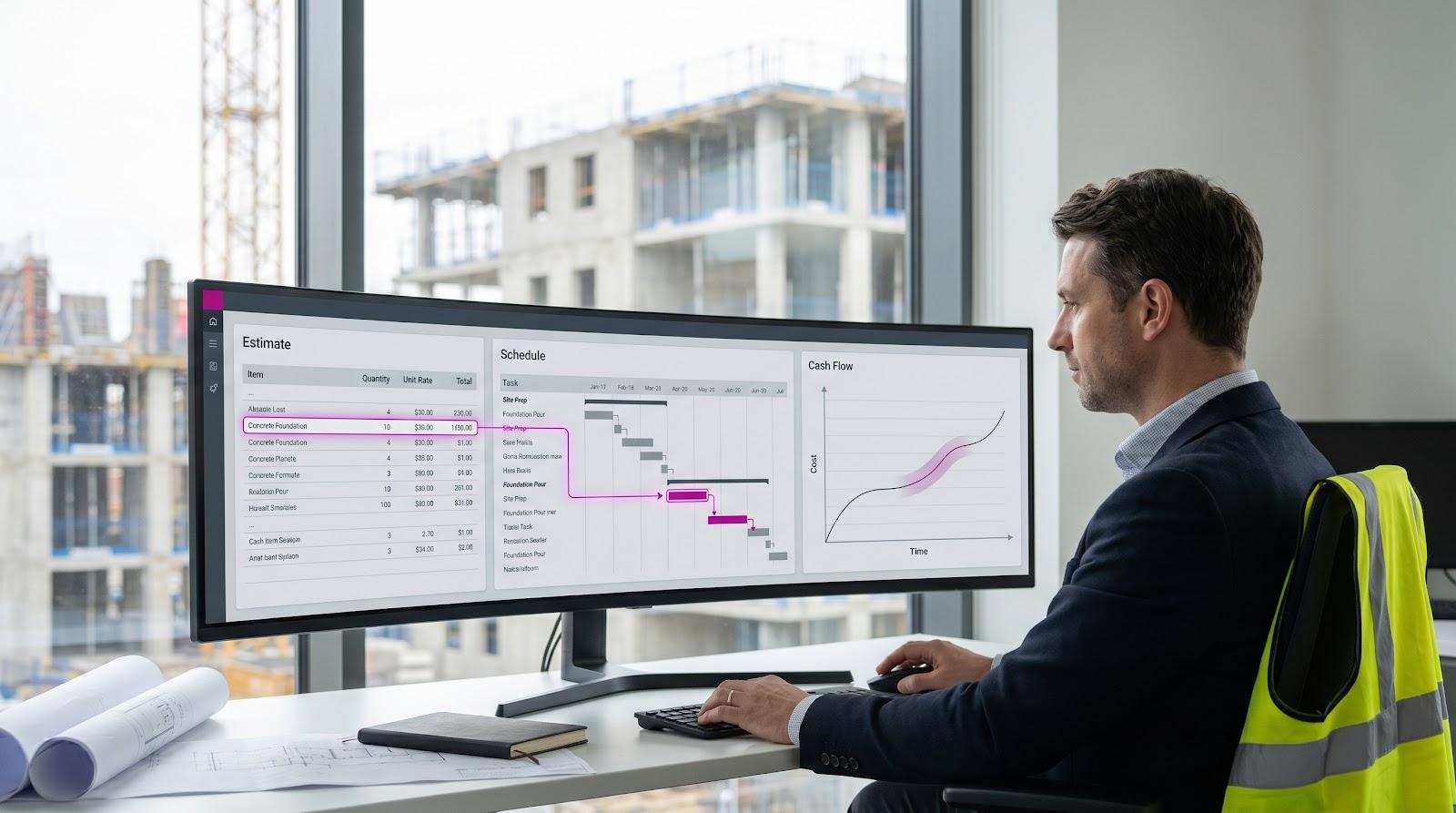
Before we name a front-runner, we need clear rules. We reviewed 10 platforms that promise integrated estimating and scheduling and ran each through the same six-point test.
First, we checked integration depth. Does the estimating module feed the schedule instantly, or are teams still pasting CSV files? InEight set the benchmark here with its direct push from estimate to CPM plan.
Next came the core engines: full-featured estimating tools (cost libraries, take-off, bid workflows) and professional-grade scheduling (critical path, baselines, resource loading). Each carried 15 percent of the total score.
Usability matters because even the smartest software fails if crews ignore it. We weighed ease of adoption and collaboration, combing user reviews for clues on training time and mobile access.
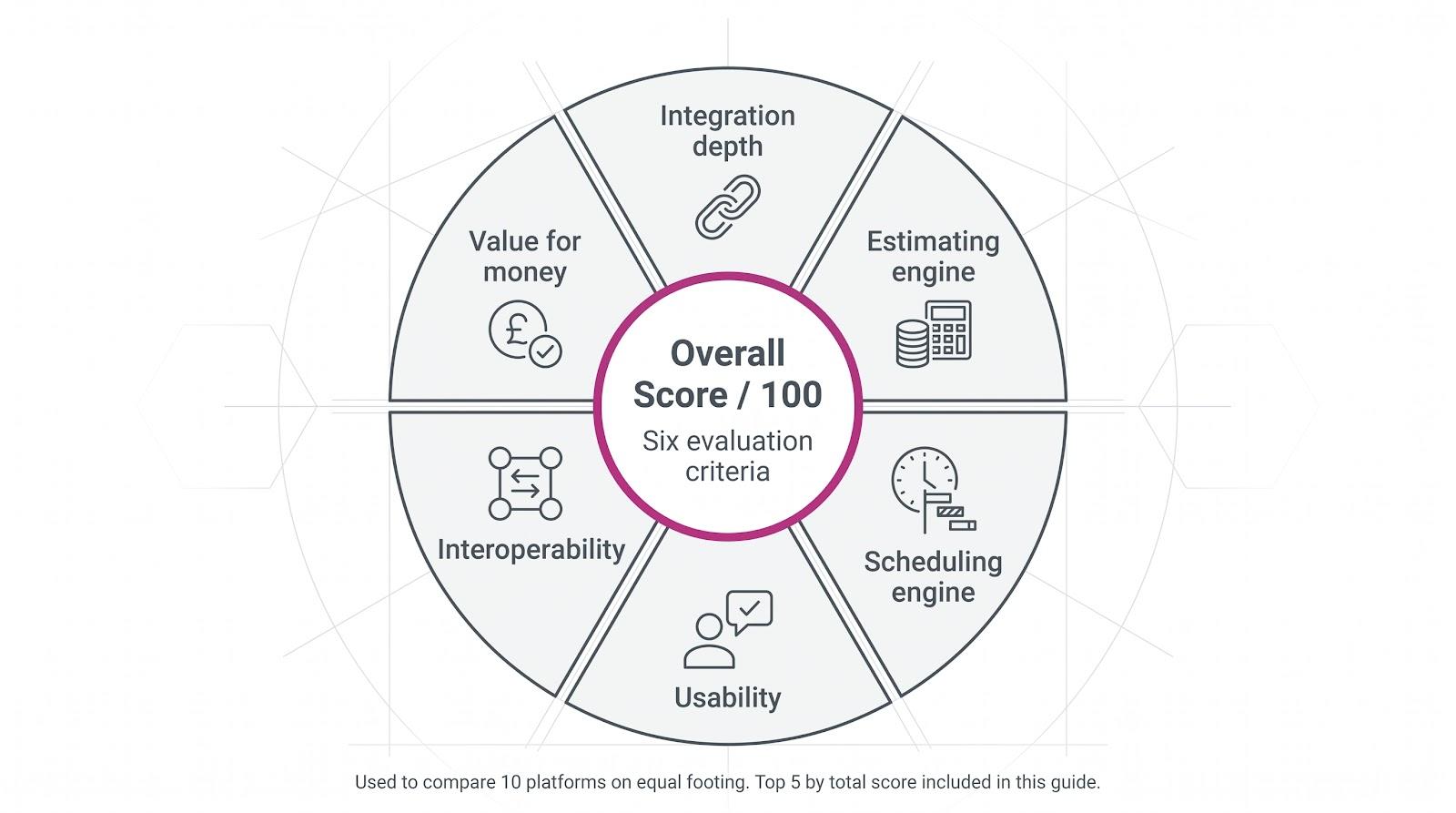
Because construction data touches many systems, we scored interoperability—links to ERP, BIM, and accounting platforms—plus value for money based on pricing clarity and ROI stories.
Each criterion fed a 100-point scale, letting us compare Procore with leaner tools like Buildertrend on equal footing. The five highest scorers made the cut.
This is not a popularity contest. We used hard evidence to find software that keeps cost and time aligned day after day, the difference between projects that drift and projects that deliver.
1. InEight: Enterprise project controls that keep cost and time in lock-step
Large infrastructure jobs rise or fall on data discipline. InEight meets that need with construction estimating software built to create accurate, defensible bids quickly and push them straight into its CPM scheduler. Born from the Hard Dollar estimating engine, it now pairs a mature cost module with a full CPM scheduler on one database. When an estimator updates crew rates, the schedule and cash-flow curves refresh together. No exports, no risky re-typing.
The workflow stays direct. Estimators add line items, tag each with a schedule activity ID, and hit Update Schedule from Estimate. InEight Schedule pulls quantities, productivity rates, and resources to build a critical-path plan already tied to the budget. Field teams log progress against that single record, giving project controls managers live earned-value metrics.
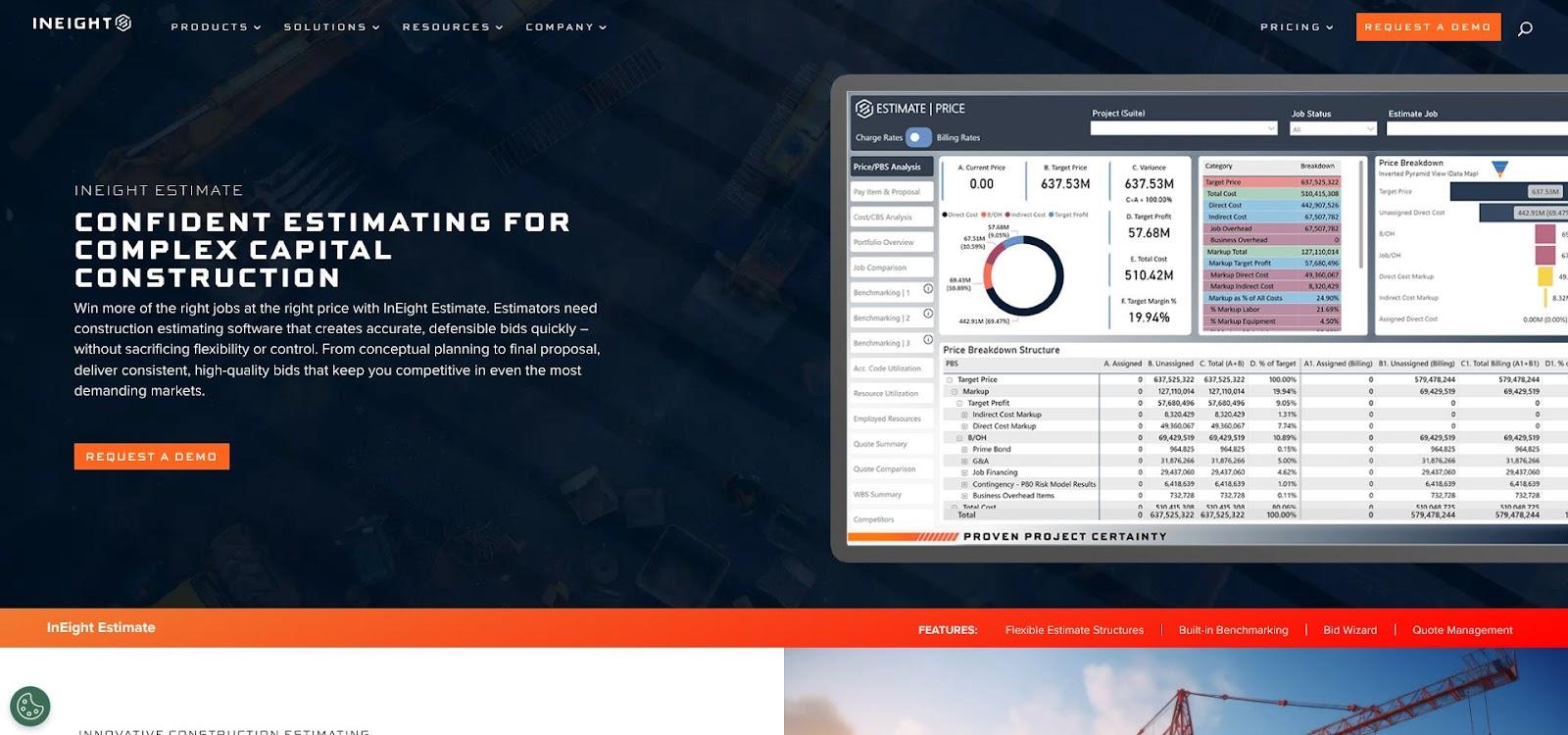
InEight Estimate and Schedule integration interface screenshot
The estimating side supports large cost libraries, what-if scenarios, and bid comparisons. InEight Schedule adds short-interval planning views and AI suggestions that flag optimistic logic ties, while InEight Risk handles Monte Carlo simulations. Dashboards open in a browser, so finance can read the numbers without special training.
Integration extends beyond the platform. Native connectors push approved budgets to SAP or Oracle, and two-way APIs sync with Primavera P6 for partners who still require it. You modernise controls without replacing the ERP backbone the board already trusts.
All this capability is quote-based and implementation heavy. Yet, unlike point solutions that force you to stitch together separate systems, InEight unifies estimate, schedule, cost, document control, risk, and field execution in one suite. For ENR Top 400 contractors and capital project owners managing billions in capital spend, the payoff eclipses the onboarding curve. If you are delivering large-scale infrastructure and delays are not an option, this toolkit keeps estimate, schedule, and risk register in tune.
2. Procore: Cloud platform that keeps field and office in the same conversation
Need one login for drawings, RFIs, budgets, and schedules? Procore has you covered. The 2020 purchase of Esticom added full estimating to its project-management hub, so bids no longer sit in a silo. Convert a winning estimate to a project and every cost code fills the budget and links to tasks in Procore’s Schedule tool.
The schedule keeps improving. Build simple Gantt plans inside Procore or import CPM files from Primavera or Microsoft Project; logic ties stay intact, and teams can create rolling look-ahead views without touching the master file. Field crews update progress on mobile, giving the office an instant view of time slippage and budget burn.
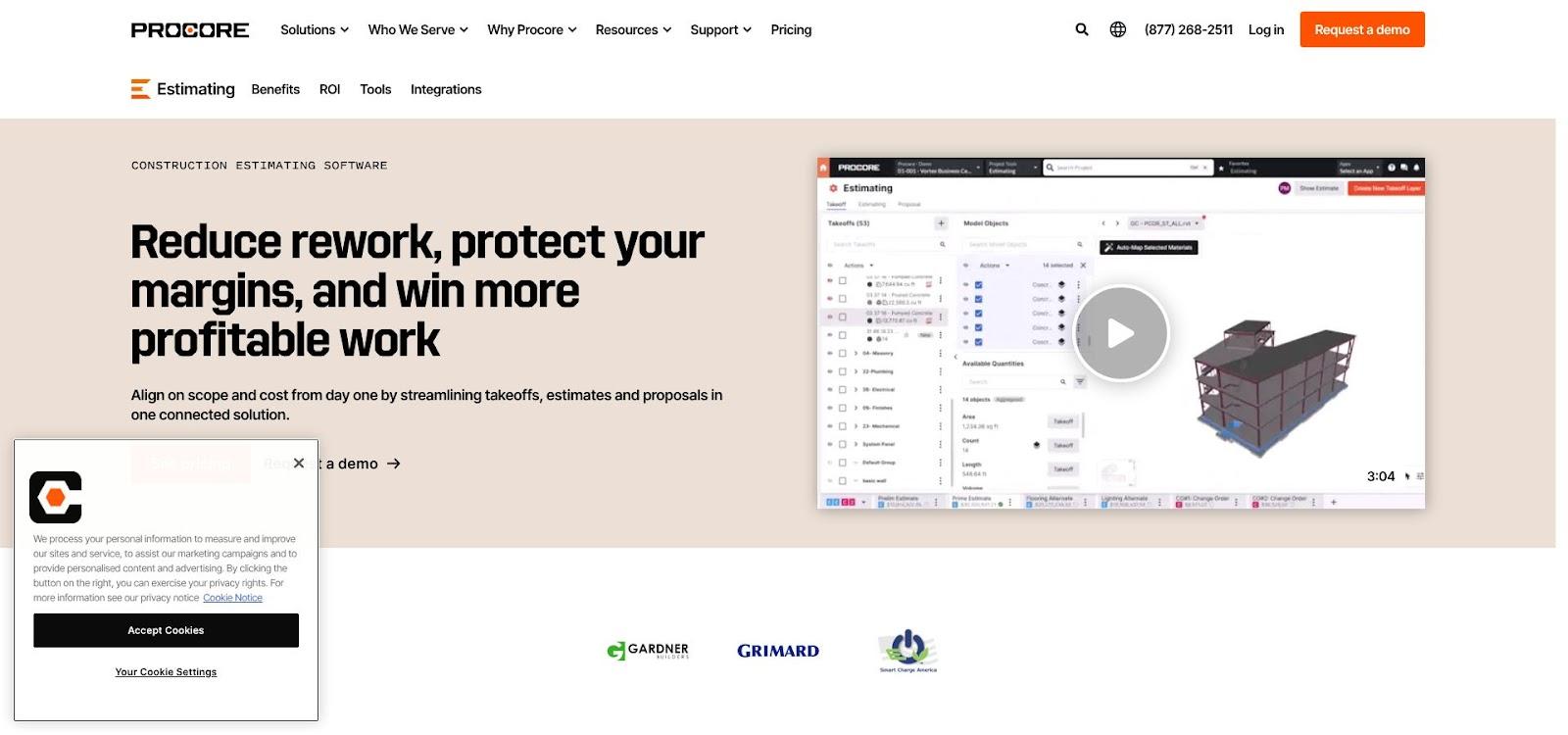
Procore estimating, budgeting and scheduling dashboard screenshot
Change management shows the value. Approve a variation in Cost Management and tag the related schedule activity at the same moment, so the effect on finish date and margin appears before anyone signs. Finance, planners, and site managers all see the same dashboard.
The marketplace is another strength. More than 400 connectors move data to Sage, QuickBooks, Power BI, and back to P6 for clients who still request an .xer file. You modernise collaboration without forcing partners off their legacy tools.
Pricing is subscription based, and users often cite payback through saved admin hours and less rework. For mid- to large-size general contractors, Procore provides a cloud home where estimates, budgets, and schedules speak the same language, helping your team speak with one voice.
3. Candy: The contractor’s toolkit that links time to money
Candy has sat on tender desks for decades for one reason: it was built for self-performing contractors who let prices drive programmes, not the reverse.
Open the estimating window and build your bill of quantities line by line with resources and productivity rates. Switch to Planning and those same items appear as schedule activities ready for critical-path logic. No import button needed; the link is live, so a quantity change in the BOQ refreshes both cost and duration. RIB calls it “an interactive link between the BOQ, estimate and programme … aligning time and money.”

RIB Candy estimating, planning and cash-flow linkage interface screenshot
That bond pays off in cash-flow forecasting. Baseline the programme and Candy plots cost curves that update whenever the schedule shifts. Site delays no longer hide their budget impact; you see the hit before it reaches the ledger.
The tool stays contractor-centric elsewhere. Valuations, interim payment certs, and resource histograms come standard. Need earned-value data for a client dashboard? Tick a checkbox instead of wrestling with spreadsheets.
Candy runs as a Windows desktop app, so collaboration relies on shared project files rather than a browser. Even so, its learning curve is gentler than the retro UI suggests, and licence pricing undercuts most enterprise suites. For mid-size GCs chasing multiple tenders each month, Candy turns estimating and scheduling into one conversation, helping you win bids you can deliver.
4. Autodesk Construction Cloud: Design-to-field data with cost-linked scheduling
Autodesk dominates the design desk. With Autodesk Construction Cloud (ACC), it now moves onto the jobsite, and the new Schedule module is the missing cog. Start with model-based quantities in Takeoff, price them in the Estimating workspace, then open Build’s Schedule view. Every budget line can link to a task, so the Cost module shows cash flow against time instead of a static curve. Autodesk states it plainly: “Use the Cost integration to connect the project schedule to the budget, plan time-related costs, and build cash flow.”
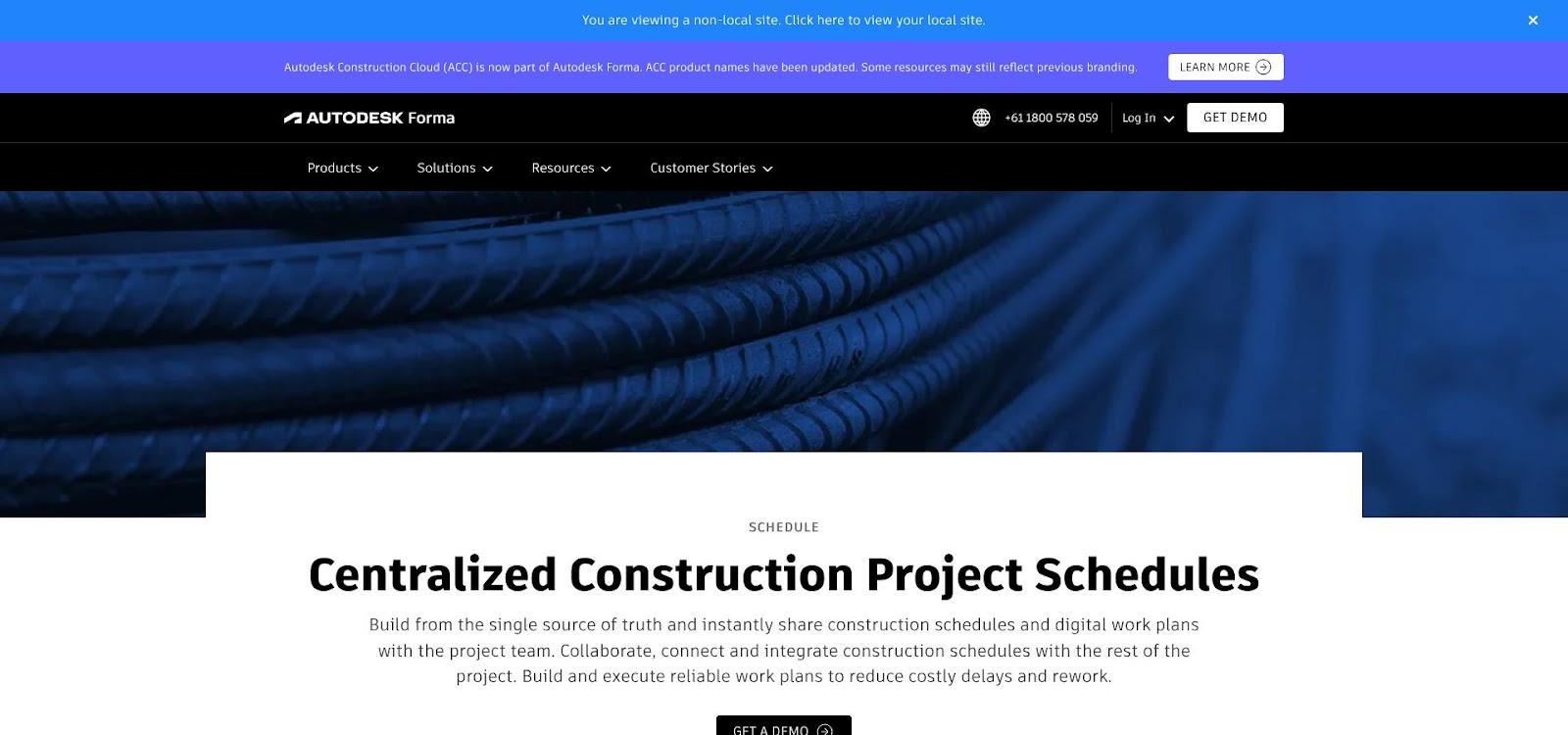
Autodesk Construction Cloud schedule and cost integration screenshot
Because design and construction share one platform, a quantity change in Revit flows through estimates and, in turn, through the programme. The result is a true 5D workflow: 3D model plus time and cost, without file conversions. For UK teams working under ISO 19650, that common data environment checks an important compliance box.
The Schedule tool is still younger than Primavera, yet it covers dependencies, baselines, and live field updates. Import large CPM plans if you need them, or build short-interval look-aheads directly in Build; either way, everyone sees one live version.
Autodesk prices modules by user seats. You pay more than an SME cloud app and less than most enterprise ERPs while gaining tight BIM connections that rivals miss. For contractors already deep in Revit or Navisworks, adding ACC feels less like a new system and more like switching on a hidden capability that lets design, cost, and schedule move in step.
5. Buildertrend: Big-picture control for small builders in one friendly app
Not every project needs a full ERP. For residential builders and subcontractors, Buildertrend covers the essentials—estimate, budget, and schedule—without a week of classroom training.
Start in the Estimate tab. Pull items from a cost catalogue, add mark-ups, and send the proposal to the client. Once they click Approve, those cost codes feed the live budget and fill the Gantt-style Schedule, wiping out the double entry that steals evenings in many small firms.
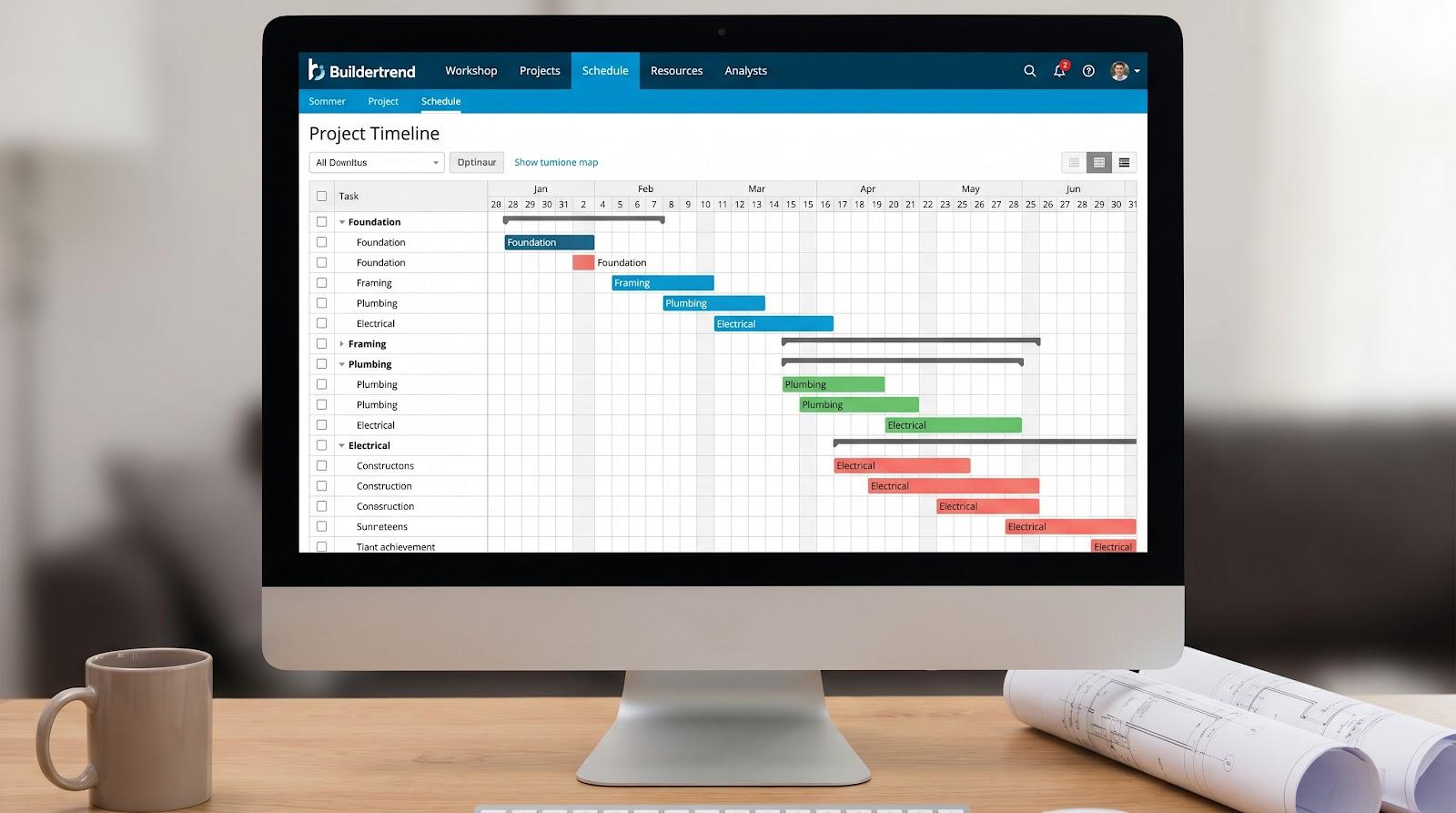
Buildertrend estimating and Gantt-style scheduling interface screenshot
The Schedule tool stays simple yet connected. Drag a task, and each assigned subcontractor gets a mobile alert while the calendar syncs to Google or Outlook. Buildertrend sums it up: “Eliminate double-booked crews and scattered calendars … keep every moving part of your project aligned in one place.”
Change orders follow the same thread. Add a variation, and Buildertrend pushes the cost to the budget and inserts the new work into the timeline. Field crews tick off tasks on their phones, and office staff watch percent complete update cash projections in real time.
Integrations focus on the SMB stack. QuickBooks, Xero, and Gusto handle accounts and payroll, and Zapier opens doors to hundreds of niche apps. Pricing is flat monthly, published online, and covers unlimited projects—helpful when you juggle a dozen remodels instead of one large build.
Buildertrend will not deliver critical-path risk analysis. It will provide one workspace where every cost and date lives together, visible to both the crew chief and the homeowner. For most smaller contractors, that clarity wins referrals and keeps weekends free.
A quick side-by-side look
Sometimes you need the summary before the detail. The table below distills the essentials so you can spot a front-runner fast. Scan the column that matters most, such as deployment model or price visibility, then return to the full reviews for nuance.
| Tool | Integrated modules | Stand-out strength | Deployment | Price visibility | Ideal user size |
| InEight | Estimating, CPM scheduling, cost control | Direct estimate-to-schedule link with enterprise risk analysis | Cloud or on-prem | Quote only | Major contractors, owners |
| Procore | Estimating, budget, schedule, PM | Unified field-office platform with 400+ integrations | Cloud (SaaS) | Quote only | Mid-large GCs |
| Candy | Estimating, planning, valuations | Live BOQ-schedule bond that updates cash flow in real time | Windows desktop | Quote; per-seat | Mid-size contractors |
| Autodesk ACC | Takeoff, estimating, cost, schedule, BIM | 5D workflow that unites design, cost, and time in one CDE | Cloud (SaaS) | Bundle tiers | BIM-centric firms |
| Buildertrend | Estimating, scheduling, PM, client comms | SMB-friendly ease; change orders auto-update budget and timeline | Cloud (SaaS) | Public monthly plans | Small builders, trades |
Use this snapshot as a springboard, not the whole story. The best tool is the one that fits your people, processes, and growth plans, but clarity on the differences helps you shortlist faster.
Conclusion: How to pick the platform that fits your projects
No two builders share the same pain points. A hospital programme with a three-year runway needs different firepower than a kitchen extension finished in twelve weeks. Before you sign any licences, step back and size up three fundamentals.
First, project complexity and volume. If you manage very large projects with thousands of activities, lean toward enterprise suites such as InEight or Autodesk ACC; they model risk, manage baselines, and connect to ERP without strain. Running dozens of small jobs at once? Buildertrend’s flat pricing and drag-and-drop schedule will feel lighter and faster.
Second, existing ecosystem. Switching tools is simple, but moving data is not. Map the systems you cannot live without—Sage for accounts, Revit for design, QuickBooks in the back office. Choose a platform that already syncs with those anchors. Procore’s marketplace excels here, while Candy remains more self-contained.
Third, people and process readiness. Software only sticks when site teams use it. Gauge training appetite, site connectivity, and tolerance for change. A cloud app with a friendly mobile interface beats a feature-heavy suite nobody opens.
Try this quick litmus test:
- List five workflows that often break between estimating and scheduling.
- Rank them by cost of failure.
- Demo the shortlisted tools and watch how each handles your top two gaps in real time.
Whichever option closes those gaps fastest, with the least disruption, is the right starting point. Upgrades come easily once a unified process culture takes root; the hard part is choosing a system your team loves on Monday morning.